
WriteWP features for WordPress AI content automation
WriteWP features cover the full path from source to published post. Import RSS feeds or URLs, rewrite with your own AI keys, attach free featured images, and publish on a schedule. Agentic chat can run the same work from inside WordPress.

From source URL to published post
Three steps run the whole pipeline. Point WriteWP at a source, let it rewrite, and review polished posts in your WordPress editor.
Import from anywhere
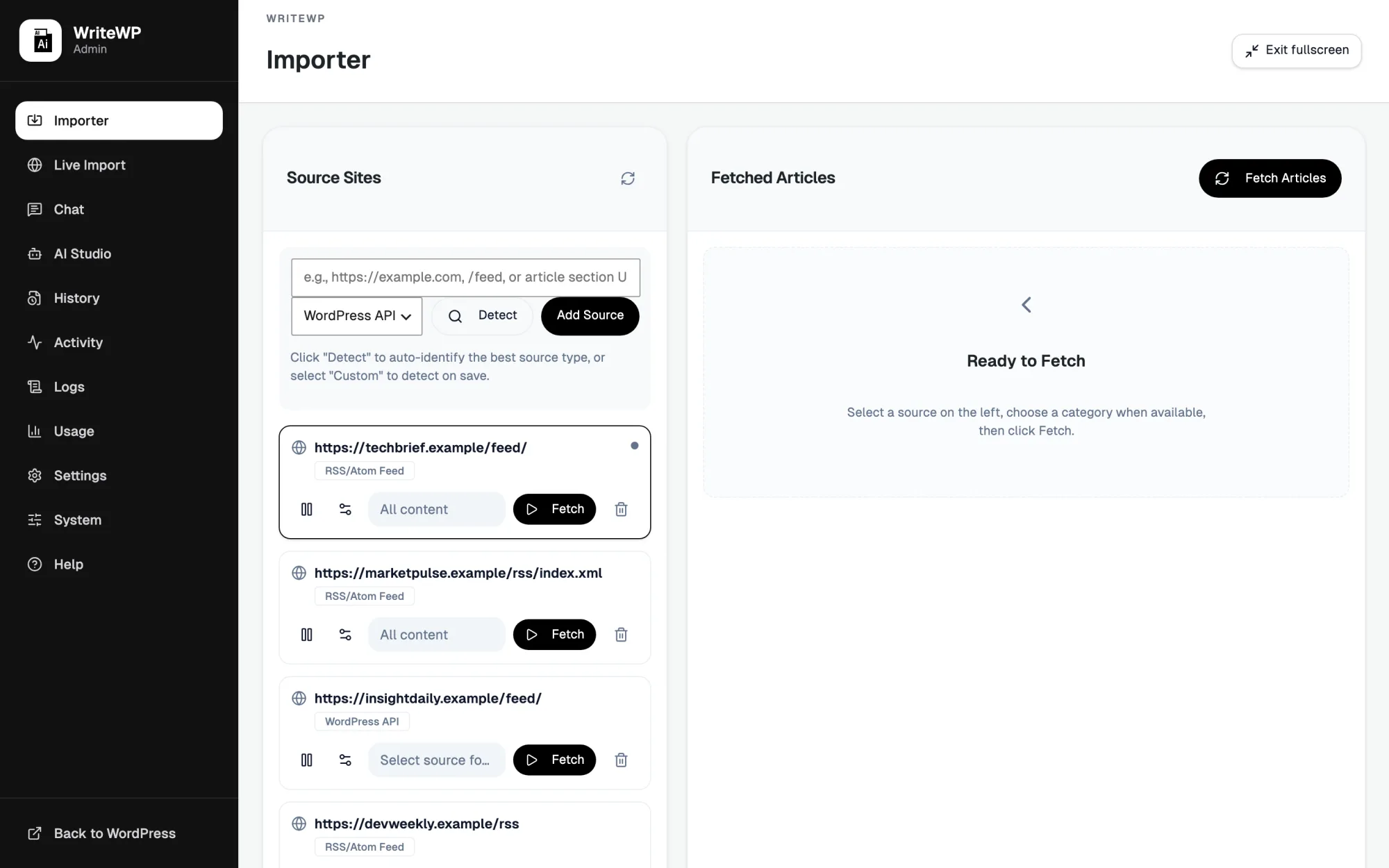
Add RSS feeds, full WordPress sites, or single custom URLs as sources. WriteWP fetches the article list and tracks what it has already seen so nothing gets imported twice.
- RSS feeds, WordPress sites, and custom URLs
- Built-in deduplication skips articles you already have
- Pick exactly which articles to queue, or grab them all
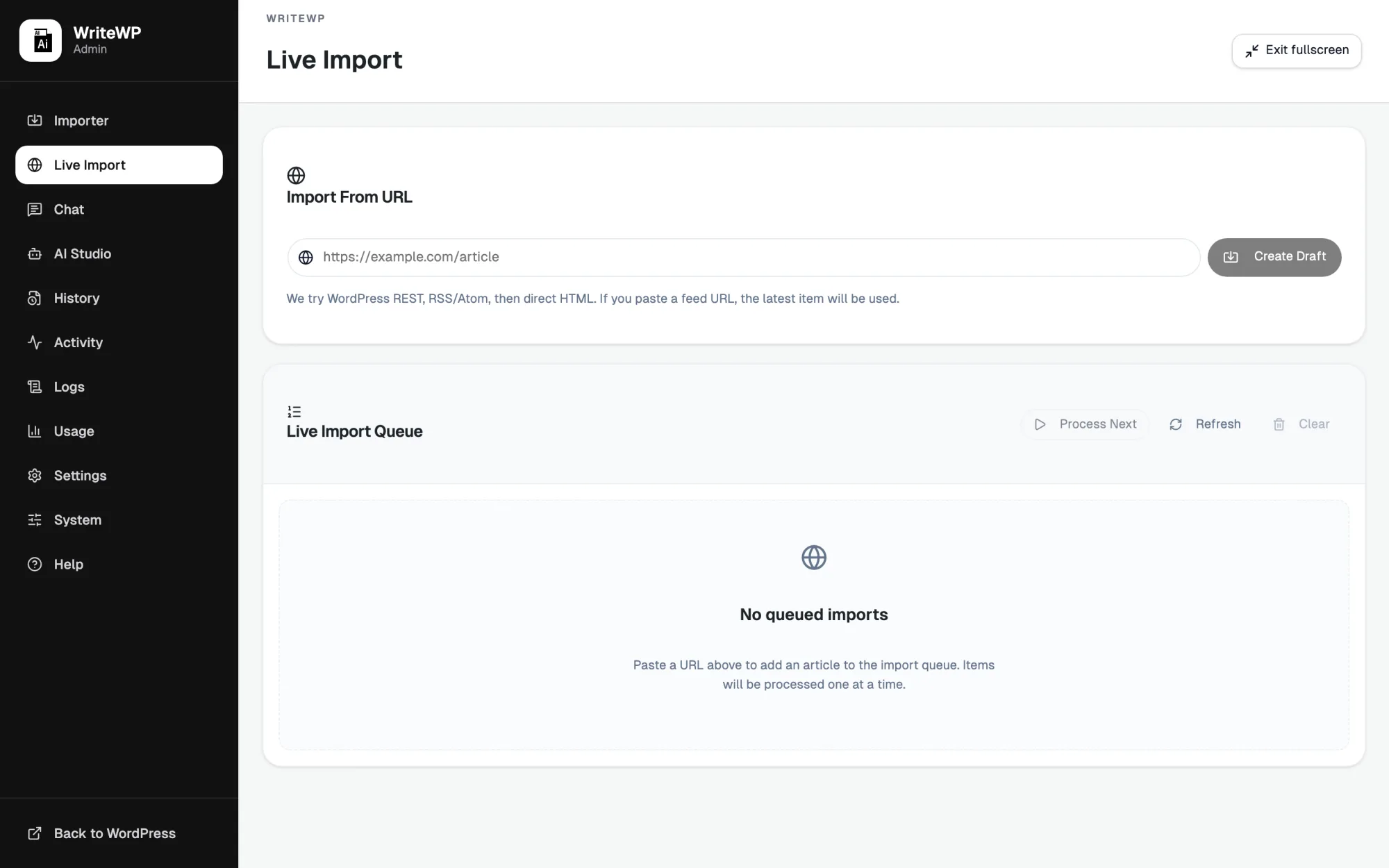
Paste a URL, get a draft
Drop in any article link and watch WriteWP fetch it, rewrite it, and build a clean draft in real time. The queue shows each job moving from fetched to rewritten to published.
- One-paste workflow for ad-hoc articles
- Live queue with per-job progress and status
- Drafts land straight in your WordPress editor
Bring your own keys, any model
Connect six AI providers and choose a primary model with an automatic fallback. Your encrypted keys stay on your site, so there are no per-article fees layered on top.
- OpenAI, Gemini, OpenRouter, MiniMax, OpenCode Zen, Ollama
- Set a primary model plus a fallback for reliability
- Keys are encrypted at rest and never leave your server
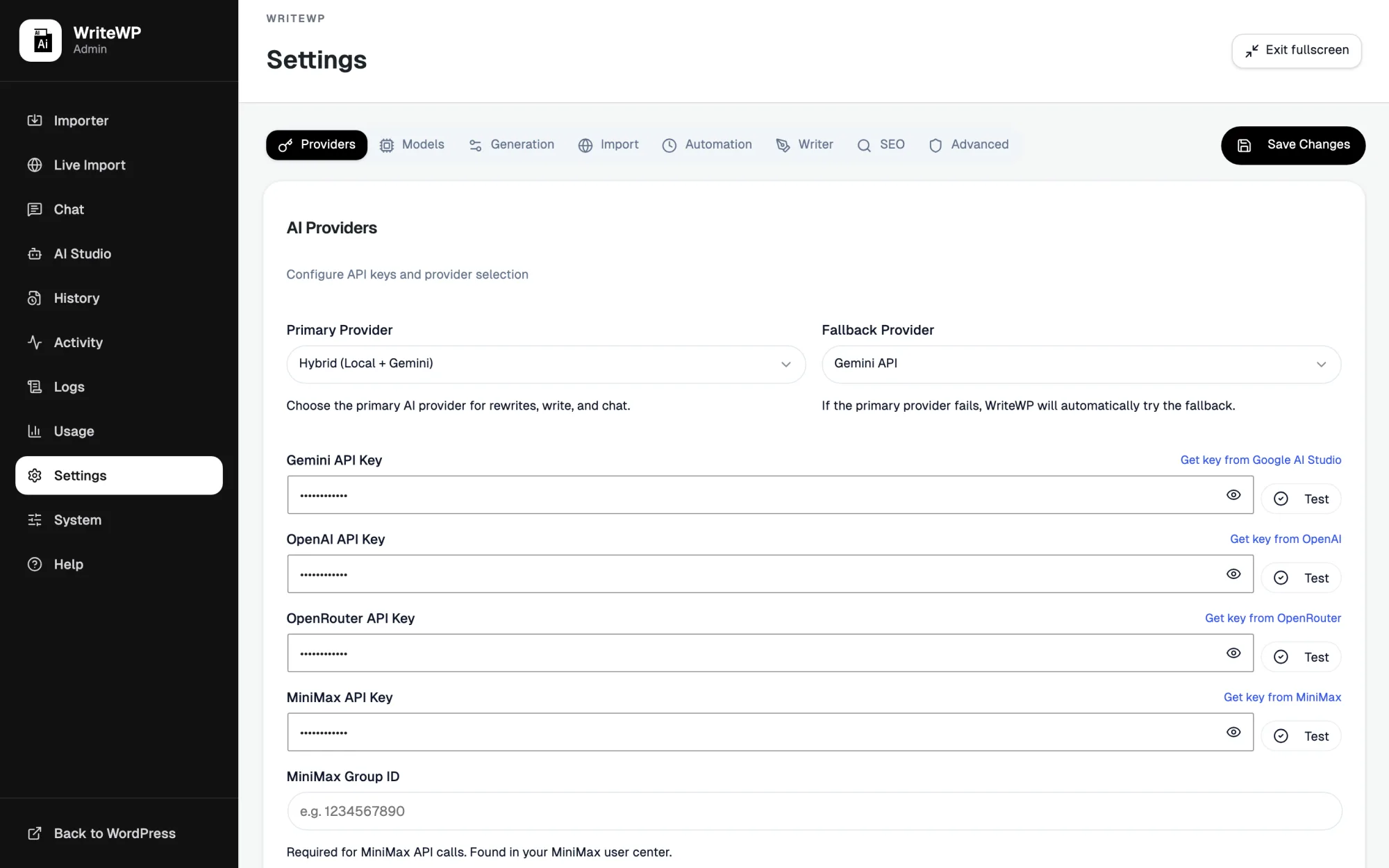
AI providers you can connect with your own keys
WriteWP talks to the AI platforms you already use — native providers for rewriting, plus OpenRouter for Claude, DeepSeek, Grok, Mistral, and more behind one key.


Core capabilities of the AI article importer
Every part of the import-and-rewrite pipeline is handled in one plugin, inside the WordPress admin you already know.
Multi-provider AI
Switch between OpenAI, Google Gemini, OpenRouter, MiniMax, OpenCode Zen, and local or cloud Ollama. Use your own keys, set a primary and fallback, and avoid per-article markups.
Agentic AI chat
Chat can take real action: create a draft, import and rewrite a URL, list posts, or pull site context. Built on the WordPress Abilities API for MCP-ready agents. See abilities →
SEO & 8 prompt presets
News, how-to, reviews, listicles, comparisons, local SEO, e-commerce, and tech/AI presets — plus FAQs, TOC, optimized slugs, and internal links on every rewrite.
Free AI featured images
When a source has no image, WriteWP generates a featured image automatically via Pollinations — no key required. Optional paid image providers with free fallback.
Set-and-forget automation
Schedule sources, self-healing cron, per-source overrides, and activity heartbeats so you can see whether automation ran — not just hope it did.
Cloudflare Cloud Solver
Import from protected sites with the managed WriteWP Cloud Solver included in your subscription, or connect self-hosted FlareSolverr for advanced setups.
Media Studio for images, audio, and video
Free featured images come first; the Studio turns your provider keys into images, voiceovers, and video so a finished post can ship with artwork and audio without leaving WordPress.
- Free Pollinations images by default — optional OpenAI, Gemini, MiniMax, OpenRouter
- Natural voiceovers for audio versions of articles
- Short-form video generation for social and embeds
- Writer tab for drafting and editing copy alongside your media
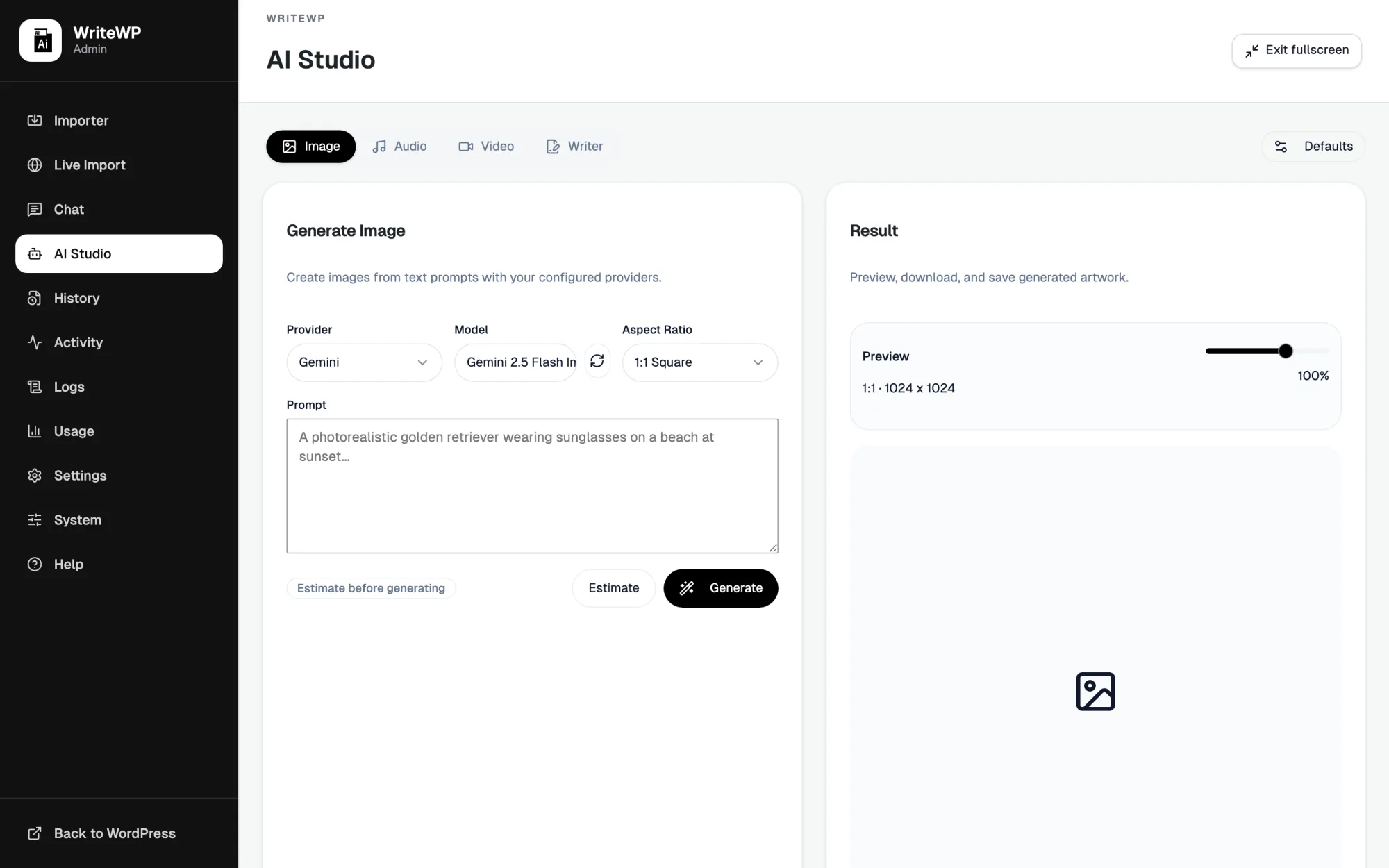
Runs inside the WordPress admin you already use
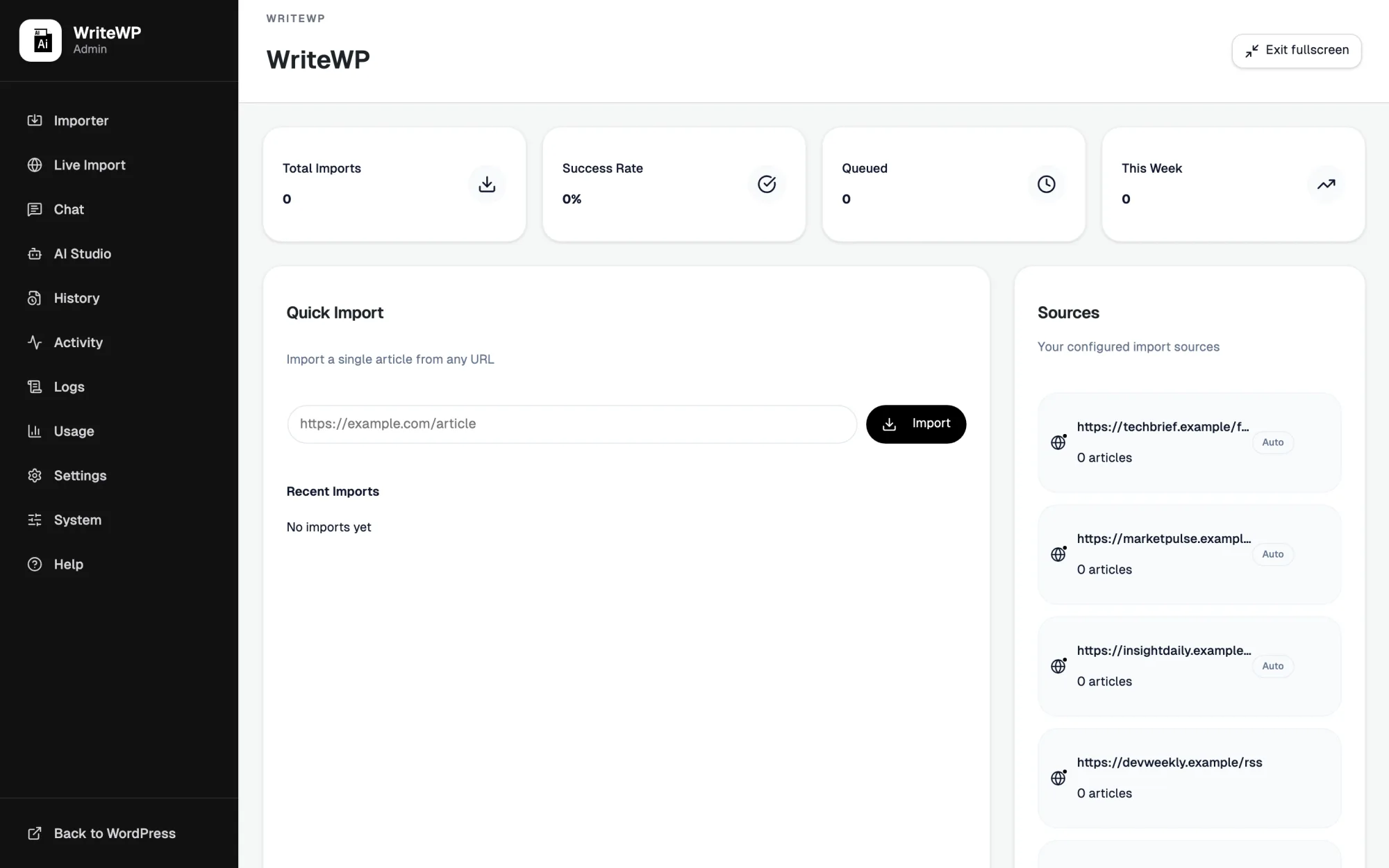
Stat cards, a quick import box, and your sources all sit on a single screen, so the state of your whole content operation is visible the moment you log in.
From source URL to published post
Each stage is optional to automate — start with drafts, then open the throttle.
More sources + a stable schedule compounds weekly output without linear manual hours.
Start automating WordPress content with WriteWP
Import, rewrite, and publish with the AI provider you already trust.