
AI article importer & rewriter for WordPress
WriteWP is an AI article importer for WordPress. Pull posts from RSS or any URL, rewrite them with your own AI keys, add free featured images, and publish on a schedule you control.
- 6 AI providers
- Truly free featured images
- No per-article fees
- WordPress Abilities API
- Scheduled publishing
- Agentic AI chat


WriteWP product overview in under a minute
Watch WriteWP turn a feed into published, search-ready articles — start to finish.


One WordPress AI plugin. Every major model.

Import, rewrite, and publish on a schedule you set
Every week you don't publish, someone else owns the keyword, the snippet, and the click. Content is the one growth lever that compounds — and the one that quietly stalls when you're doing it by hand.
WriteWP removes the bottleneck that's been capping your traffic: you, doing it manually.
What automation changes about the cost of content
Illustrative comparisons based on typical solo-publisher workflows — your AI provider bills you directly at their rates.
Setup and review still matter — automation removes the research-and-rewrite grind.
Bring your own keys — switch primary/fallback without rewriting your workflow.
- You pay providers at cost
- No WriteWP per-article fee
WriteWP is a fixed license. Token spend stays on your provider accounts.
Conceptual: scheduled imports compound once sources and prompts are dialed in.
How the AI article importer works in three steps
Set up WriteWP once. The WordPress AI content pipeline imports sources, rewrites for SEO, and publishes on your schedule—without manual copy-paste.
Connect a source
Drop in any RSS feed, WordPress site, or custom source. WriteWP fetches new articles automatically and de-duplicates so nothing imports twice.
AI rewrites it
Your chosen model rewrites each article in fresh, original language with clean HTML, SEO intent, internal links and auto-generated FAQs and tables of contents.
Publishes on schedule
Posts go live as drafts or published content on the cadence you set — with featured images, categories and tags mapped for you.
Product tour: real WriteWP admin screens
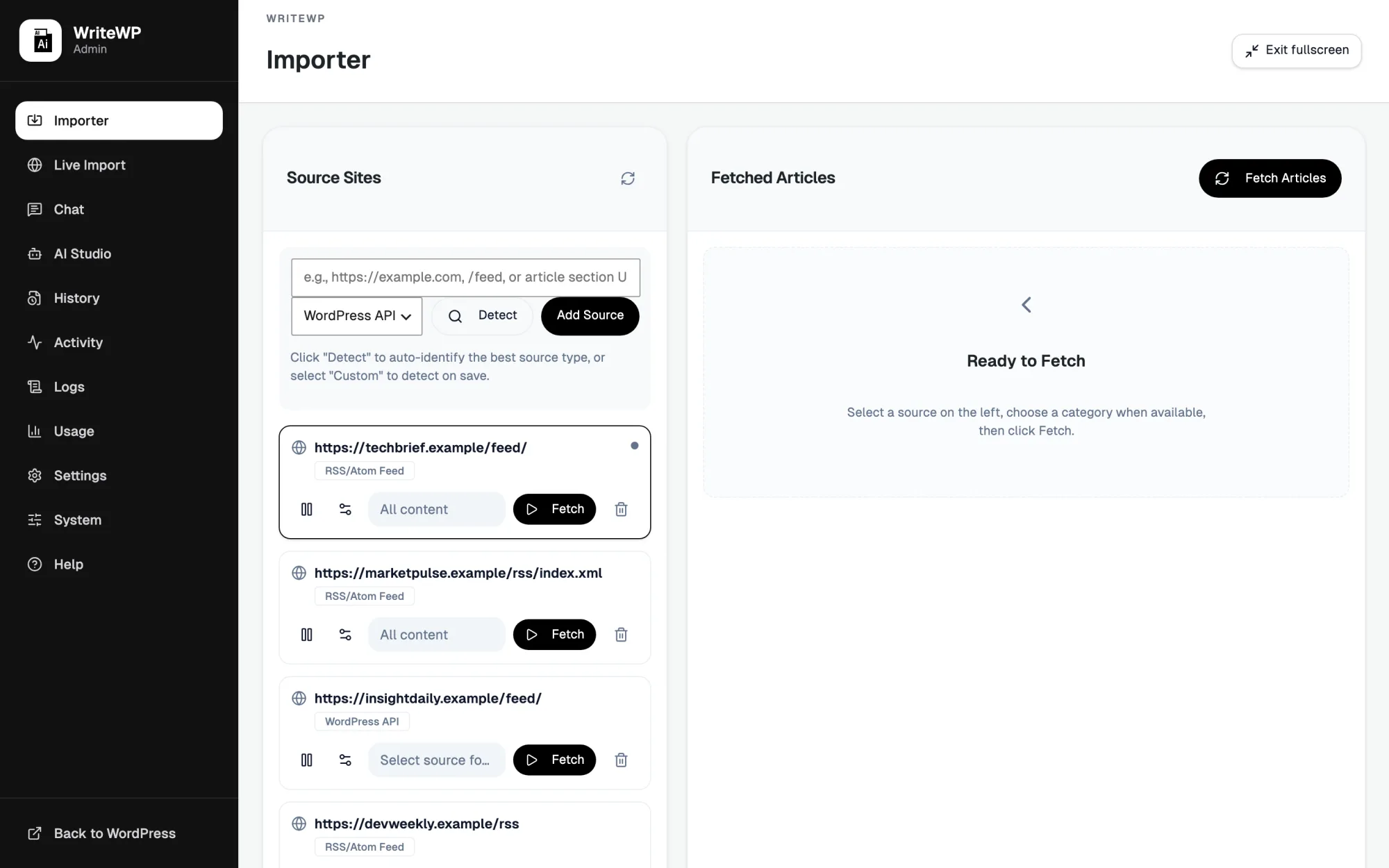
A fast, focused admin built natively for WordPress. Every screen is designed to get original content out the door with fewer clicks.
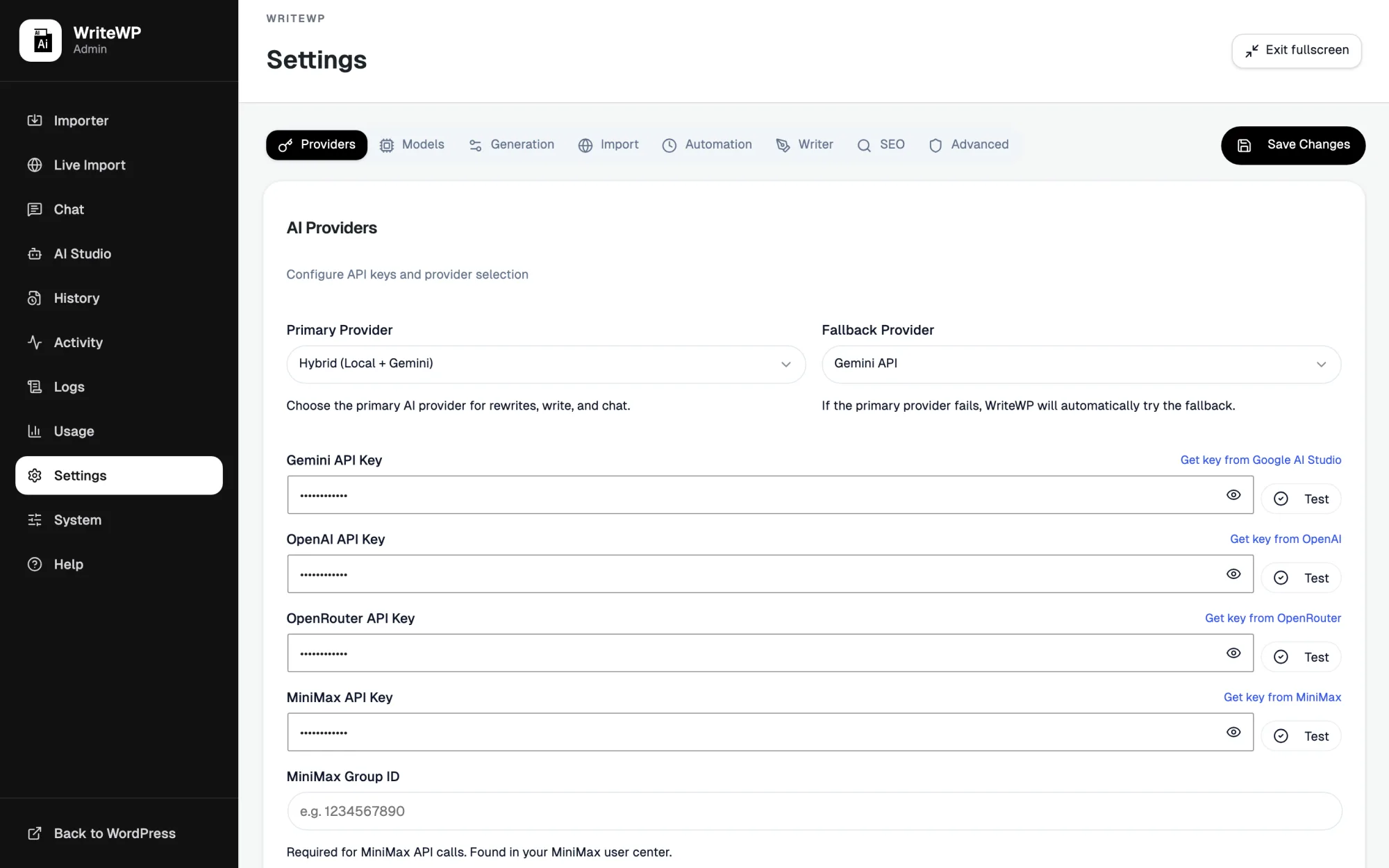
Bring your own keys. Any model.
Connect OpenAI, Gemini, OpenRouter, MiniMax, OpenCode Zen, or Ollama. Choose a primary and a fallback, and WriteWP keeps publishing even when one provider rate-limits.
- API keys encrypted at rest — never exposed
- Model lists pulled live from your own account
- Per-provider control over tone, tokens & cost
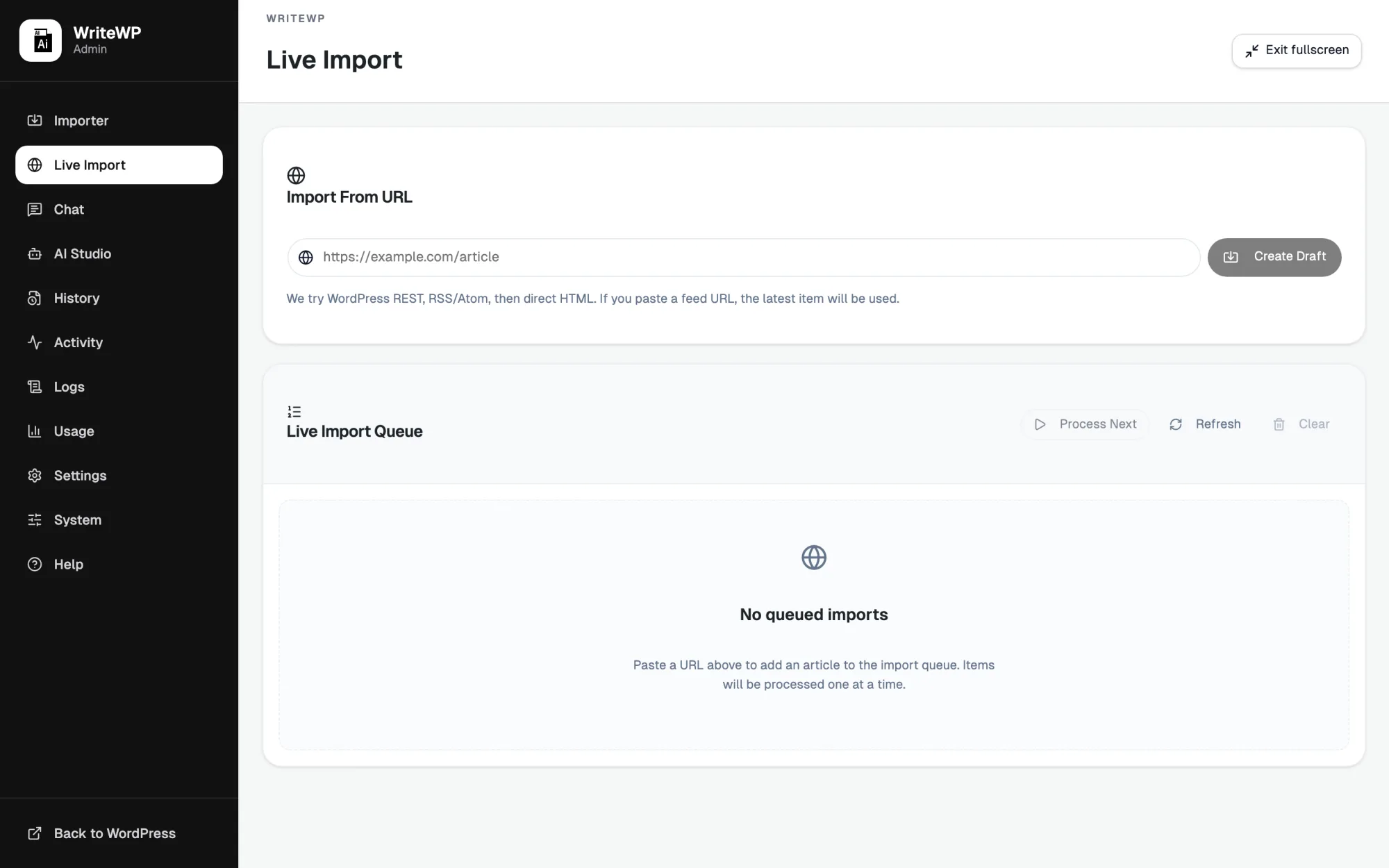
Paste a URL. Get a draft.
Drop any article link and WriteWP fetches it — WordPress REST, RSS/Atom, or raw HTML — rewrites it, and queues it for review. One clean item at a time, with duplicate protection.
- Smart source detection for any URL
- Real-time queue you can watch and retry
- Drafts or instant publish — your call
Import, rewrite, SEO, and publish in one plugin
WriteWP isn't a thin API call around ChatGPT. It's a full import, rewrite, optimize and publish pipeline engineered for WordPress.
Multi-provider AI
OpenAI, Gemini, OpenRouter, MiniMax, OpenCode Zen and Ollama — with a primary and fallback so imports never stall on a rate limit.
Import from anywhere
RSS feeds, WordPress REST sources, or custom URLs. Pull one article or thousands, on demand or on a schedule — with smarter duplicate protection.
Agentic AI chat
Ask WriteWP to draft a post or rewrite a URL and it actually does it — with tool calling, site context, and WordPress Abilities API support.
SEO & prompt presets
Eight advanced presets (news, how-to, reviews, local SEO, and more), auto FAQs, tables of contents, optimized slugs, and internal links built in.
Free featured images
Imports and Writer drafts get an AI featured image automatically via Pollinations — no API key required. Swap to paid providers when you want more control.
Cloudflare Cloud Solver
Protected sources are solvable with the managed WriteWP Cloud Solver included in your subscription — or point at your own FlareSolverr.
SEO structure built into every rewrite
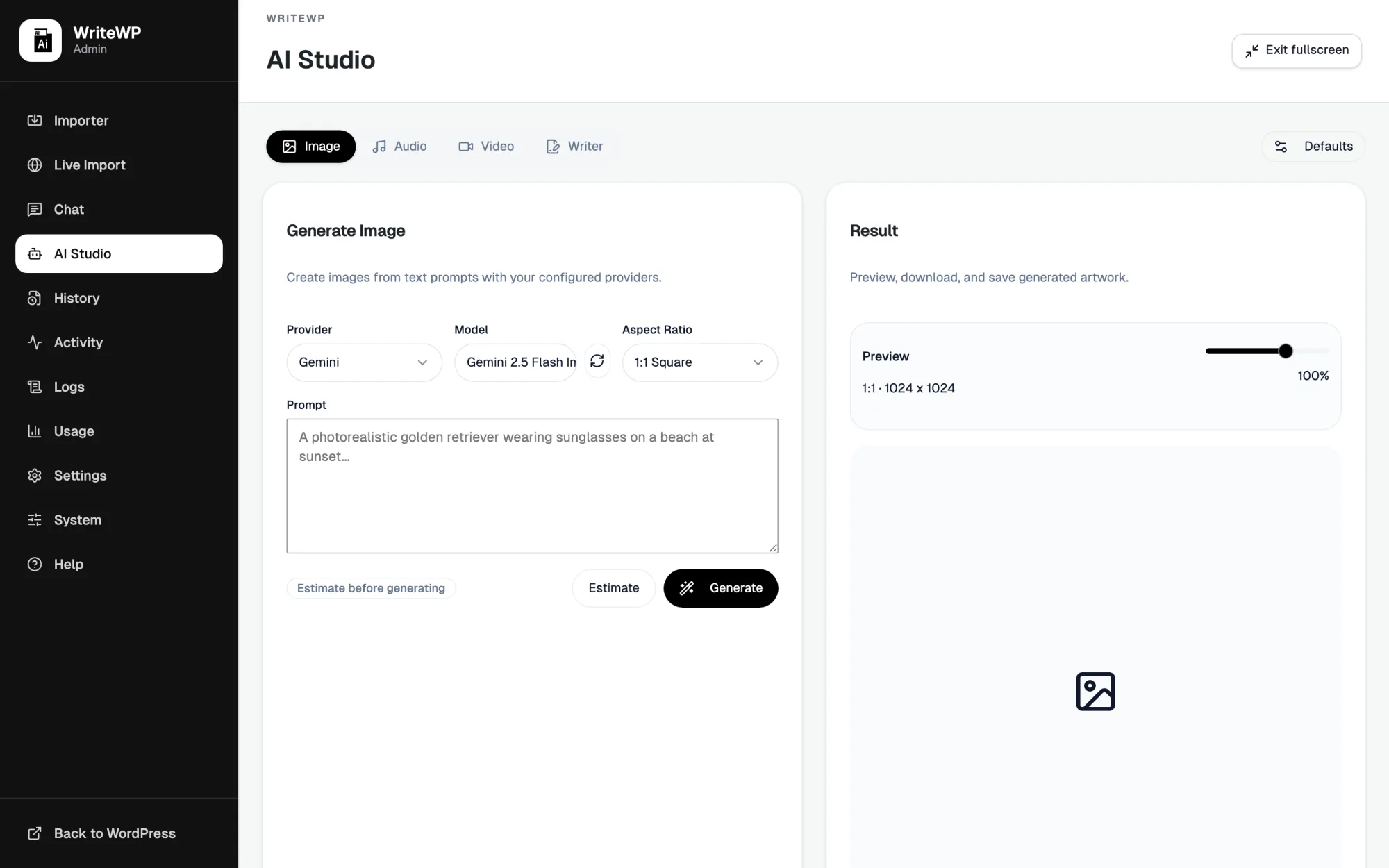
Imports get free AI featured images when the source has none. The Studio goes further — images, voice, and short video from the providers you already connected.
- Free Pollinations featured images by default — no key required.
- Optional paid image models, natural voiceovers, and short promo video.
- SEO-friendly filenames and pre-filled alt text on generated images.
- Live cost estimates before you generate a thing.
What sets WriteWP apart
Your keys, your costs
WriteWP connects to your own provider accounts. You pay AI providers directly at cost — there's no per-article markup or metered credits from us, ever.
Original by design
Not a copy-paste autoblogger. Every article is rewritten sentence by sentence into clean, structured HTML with SEO intent and internal links built in.
Genuinely hands-off
Configure your sources and schedule once. WriteWP then imports, rewrites, optimizes and publishes on its own — with duplicate protection so nothing repeats.
WriteWP pricing and license plans
One fair license. Your own API keys. No per-article fees, ever. All sales are final — no refunds. See how WriteWP compares to typical AI autobloggers.
Same full plugin on every plan. Monthly or annual — bring your own AI keys, we never meter articles.
Single Site
One WordPress site for solo publishers.
or $9.99 / month
- Full feature set
- All AI providers + free images
- Cloud Solver & automation
10 Sites
For freelancers and small agencies.
or $35 / month
- Everything in Single Site
- Up to 10 activations
- Priority support
1,000 Sites
For networks and high-volume agencies.
or $50 / month
- Everything in 10 Sites
- Up to 1,000 activations
- Best price per site
Prefer a one-time payment? 5 Sites Lifetime is $1,200.
Agentic chat and the WordPress Abilities API
WriteWP registers real WordPress abilities — create drafts, import URLs, list posts, read site context — so chat and external agents can act with your permissions, not just answer questions.
create-blog-post
Full Writer pipeline from a topic or brief — lands as a draft with title and edit link.
import-url-as-post
Fetch, dedupe, rewrite, and queue a URL through the same secure import stack you already trust.
Admin-safe defaults
Every ability re-checks manage_options. New content is draft-by-default. Built for WordPress 7.0+ and the 6.9+ Abilities API.
Built for WordPress 7.0+ and current WP AI tools
Fast, secure, Abilities-aware, and engineered for modern WordPress. From 5.8+ compatibility up through 7.0+ and the WP AI stack — start turning sources into traffic today.
Frequently asked questions about WriteWP
What is an AI article importer for WordPress?
Which AI providers can I use?
WriteWP works with OpenAI, Google Gemini, OpenRouter, MiniMax, OpenCode Zen, and local or cloud Ollama. Free featured images use Pollinations by default.
You choose a primary provider and a fallback, so a rate limit on one never stops your pipeline. Model lists update automatically from your account. OpenRouter also unlocks models from Claude, DeepSeek, Mistral, Grok, and more behind one key.